

The Distinguished Salvager is a 3D spot-the-difference game where you search a submarine for changes to it's various rooms, and use them to progress through each level. It was made in one week for the Renewal Game Jam hosted by the Games Den. I did all of the programming and some of the 3D modelling (mainly the level geometry, the fish and the submarine) and my teammate did the other 3D modelling (all the objects in rooms) as well as the audio and music.
You play as a submarine inspector who has been recruited to steal an item from one of the submarines you inspect. You have unlimited time as an inspector to wander the submarine and remember the layout, and then get sent on your mission. Each floor of the submarine the guards will patrol at night, and if they find you will catch and apprehend you. However, one guard on each floor is a plant, and will instead give you the access code to a lower floor. They will indicate which room they patrol by slightly changing an object, and it is up to you to identify the room with changed objects and sleep there to progress down the floors.
The game also features a memory mechanic, where you are able to hold the Tab key to view the state of the submarine as it was during inspection. This can let you verify if you're correct or not, and lasts for 2.5 seconds per level.
The presentation of the game is deliberately restrictive to allow for quicker asset creation, since we only had a week to complete the game. The game runs at a resolution of 400x300, with posterized colours.
Technical Write-up
The primary challenge of this game I had to solve was that there are, for each floor, three different states the player can be in (Inspecting, Remembering, and Searching). I did not want to have to create each level three times, or duplicate the level scene so I needed each level to be able to handle all three of the different states. To solve this, I added a flag to each level to specify whether it should have it's items randomized or not (more on how that works later), and created a container called the Level System. Inspection mode is a simple case, since I just have to spawn a new level with the randomization flag off for it to work properly. This works on top of the level system I already had to handle the main menu and cutscenes, so the entire Level System is treated as one "level" the same as any other, which then in turn spawns the actual game level.
For searching, I actually spawn the level twice, once with randomizations and once without. Each level renders to it's own SubViewport, with the searching level layered above the memory level. To show the memory effect, I fade out the searching viewport to reveal the memory one underneath.
I have the player exist outside the level so that there's always only one, and the search camera pushes it's transform to another camera in the memory level so that they're always synced. This means that the player will always respect geometry in the searching level even when remembering, which works for this game since the only dynamic collision is the doors which I designed to call to their versions in the other levels to also open at the same time, ensuring the collisions are always in sync.
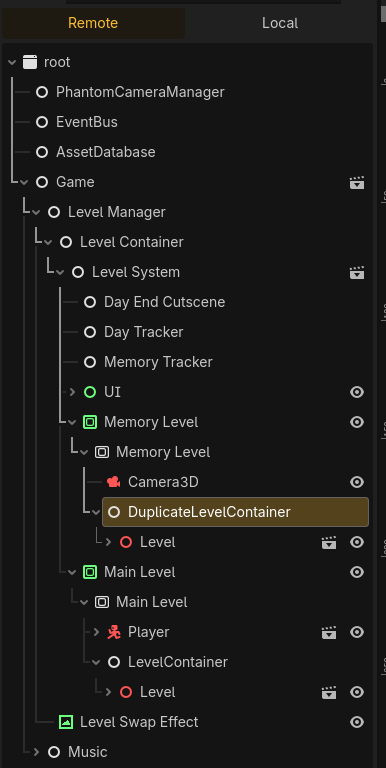
An example of the games hierarchy in search mode, where the level system has spawned two level instances.
When a level loads, if it should be randomized it selects one of it's rooms as the correct one. Each room has a "randomization budget" and it will spend this budget on random elements which have their own cost until it's out of budget. This allows us to design rooms with only one obstacle that can change, or many, and to be able to control their probabilities and frequencies easily. To allow an object to be randomized, I created a RandomDifference component I can add as a child of an object which exposes an array of RandomEffect resources and a cost. The random difference will apply all RandomEffects when purchased by it's room, which are implemented by extending RandomEffect with a child class for each effect, including offsetting the object, rotating it, scaling it, and disabling/enabling it.
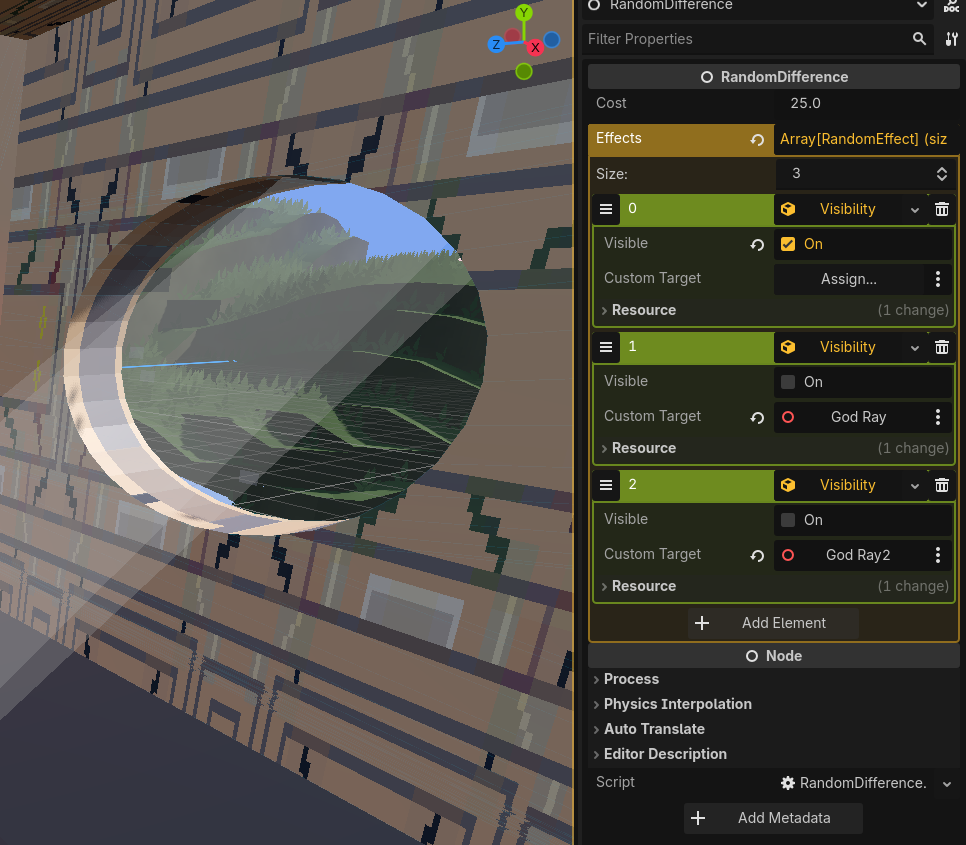
The RandomDifference component for this window costs 25 units, and is able to enable the window cover and disable the god rays.
For the colour posterization I wrote a shader that accepts a sampler2D uniform to be used as a colour palette, and sets it's colour to the closest matching colour found in the palette. This shader is applied to each level's SubViewport, which allows for the different types of level to have their own palette. If I wanted to use the colour palette authentically I could have set the filter mode on the palette to closest, but I opted instead to use linear filtering with more steps than there were colours in the palette to get control over how many in-between colours there are between defined colours in the palette. I found this to look better, since I have less direct control over each pixel on the screen in 3D than in 2D and the filter would sometimes pick unnatural colours for certain objects (for example, without this the water would occasionally be green since it was closer in distance than the nearest blue in the palette). The colour palettes are all from lospec, specifically:
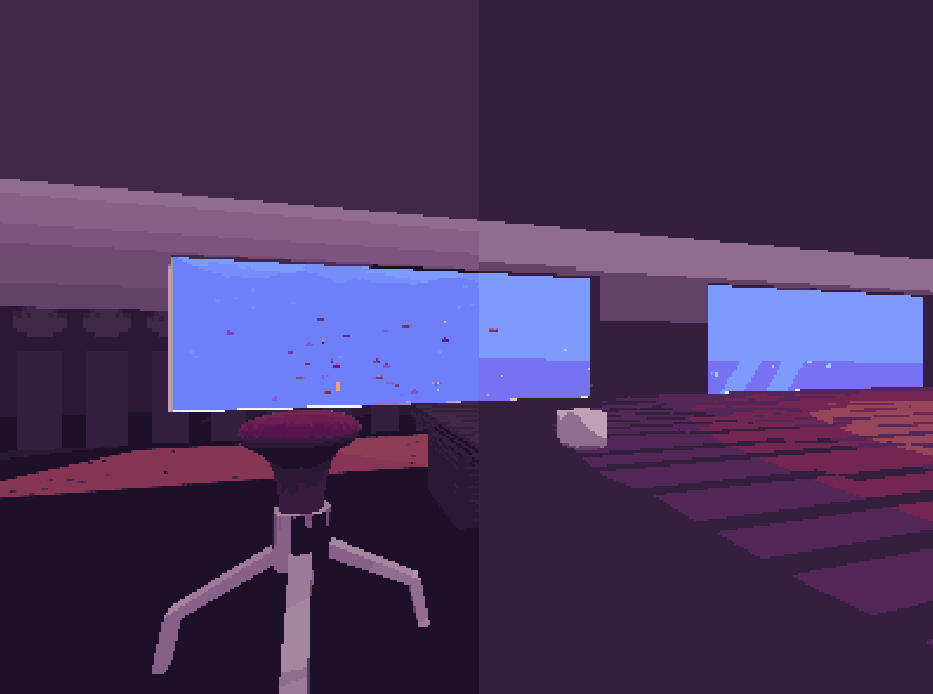
A comparison of linear and closest filtering on a 32 colour palette: the left uses linear filtering with 128 steps and the right uses the original 32 colours.
To accomplish the splotchy screen transitions, I wrote a shader that takes the vertex colour of a UI element and applies that with a mask to determine if it should be transparent: if the vertex colour alpha is less than the mask's value the pixel is completely transparent, otherwise it is completely opaque. I then apply a noise texture as the mask, so that the previous image fades away in the shape of the noise texture. I can then animate this fade by changing the vertex alpha of the UI element by changing it's colour in code the same way as any normal fade. To make this work as a level transition, and to ensure that there are never more objects loaded than needed, before loading I take a screenshot of the game and display it in front of the whole game. I then unload the previous level and load the new one, and then fade out the screenshot. This ensures that even during screen transitions there is only ever one level system loaded.
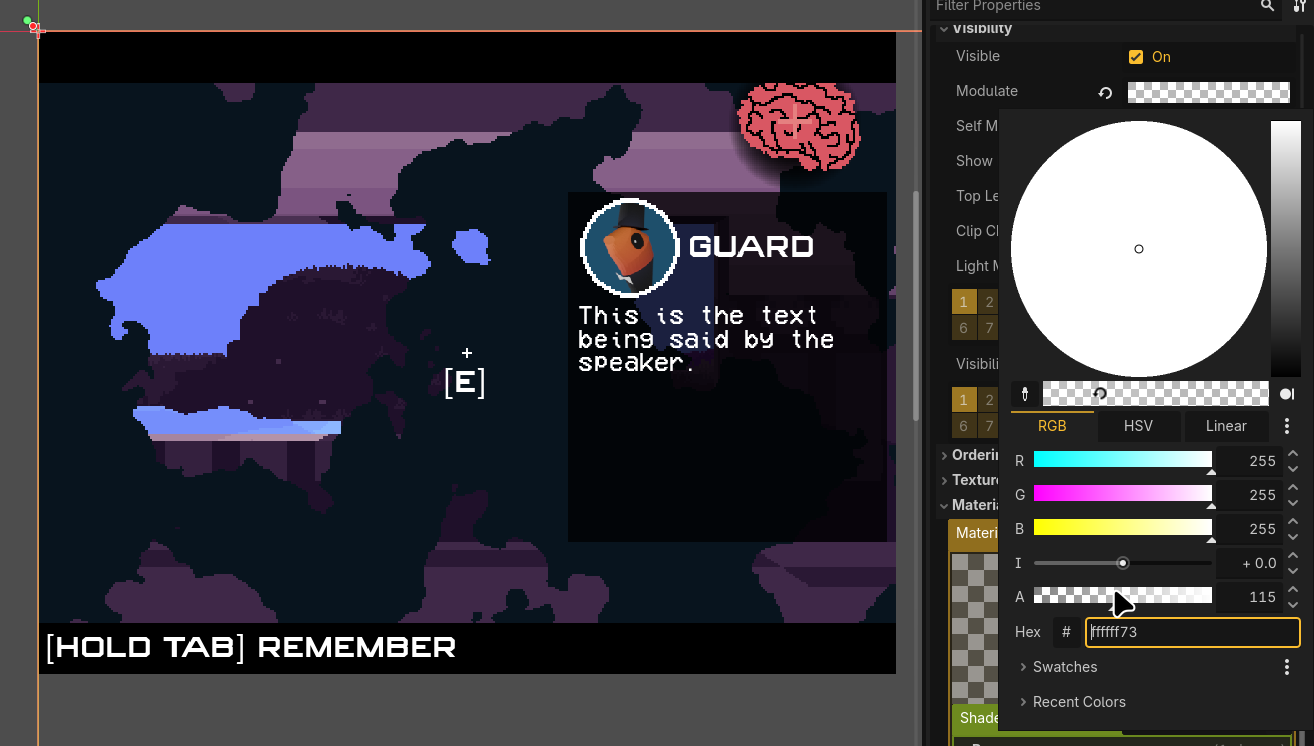
Controlling the alpha of the screen transition sets it's noise mask threshold.
For the water and ground in the underwater environment, I created them with a shader on a subdivided plane. The shader offsets each vertex position via a noise texture, which is seamless and scrolled over time to give the illusion of movement. To colour the terrain I specify a peak and trough colour and set each vertex's colour to be interpolated between these two based on it's height.
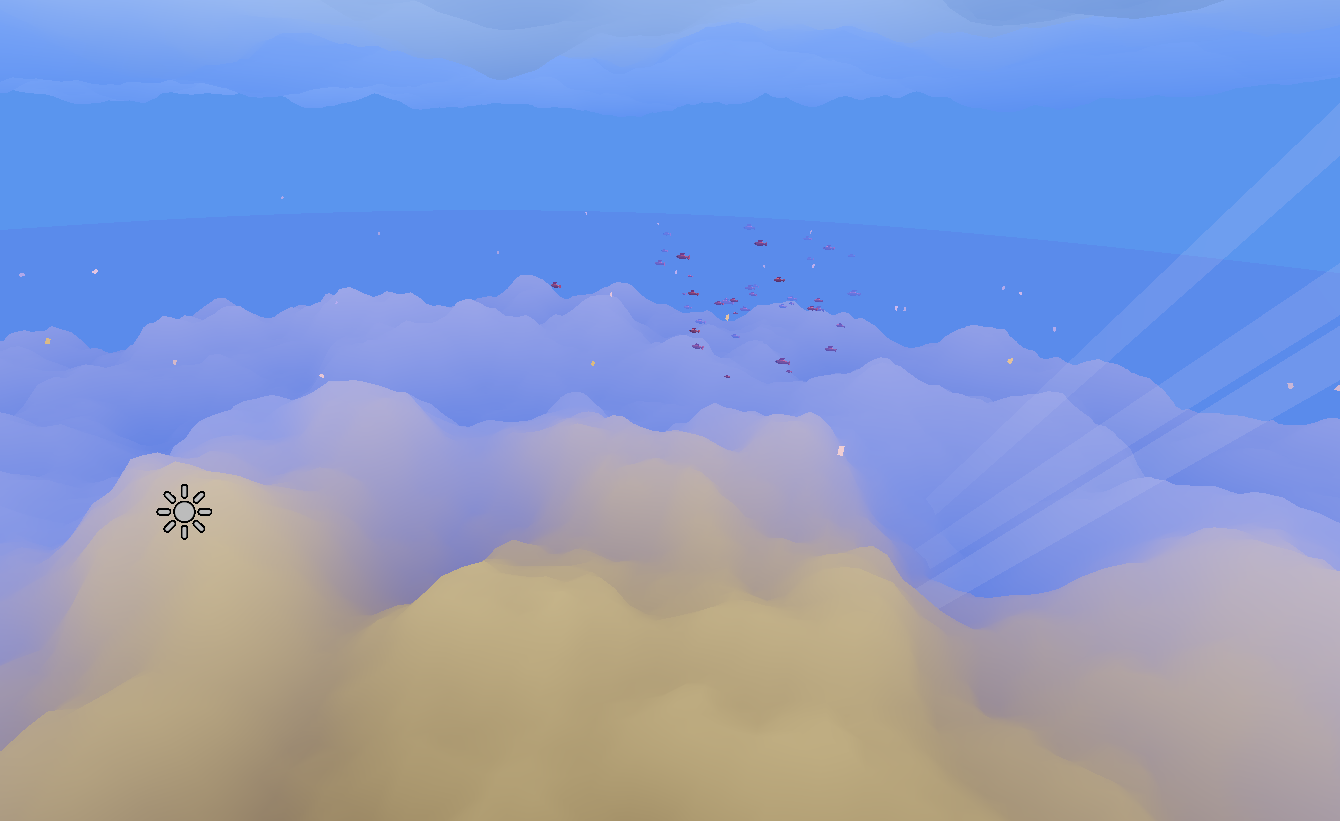
A view of the underwater environment in the editor, without post processing.